What Amazon Categories Are
Amazon organizes every book into browse categories: a deep hierarchy of genres and topics that runs from broad shelves like Mystery, Thriller & Suspense down to niches like Amateur Sleuths or Cozy Animal Mysteries. Readers use these categories to browse for their next book, and Amazon uses them to decide which bestseller lists your book competes on.
Every category has its own bestseller list. Rank high enough in one and your book appears on that list; reach the top and it earns the orange “#1 Bestseller” badge that follows it around the store. That badge is social proof readers see before they ever read your blurb.
Categories don't change where you show up in keyword search. They decide which shelves you sit on, which lists you can climb, and which readers stumble onto your book while browsing. For most self-published books, that's the difference between being discoverable and being invisible.
5,264+ Categories
Deep hierarchy
Up to 3 Per Book
Chosen in KDP
Niche = Easier #1
Less competition
Why Category Choice Matters
The category you pick decides the competition you face. A debut thriller competing in the broad Thrillers category is up against every household name in the genre. The same book in a well-matched niche category might only need to outsell a few dozen titles to reach the top of the list.
Three things are at stake:
Visibility. Category bestseller lists are some of the only browse surfaces where an unknown book can sit next to established ones. You can't buy your way onto them.
Competition. Niche categories have far fewer books competing for the top spots. A realistic #1 in a specific category beats a permanent #4,000 in a broad one.
Reader fit. When the right readers find your book on the right shelf, they're more likely to buy, finish, and review. Amazon's recommendation engine learns from that and shows your book to more of the same readers.
The problem is scale. With more than 5,000 browse categories for books alone, there's no practical way to evaluate them all by hand. That's the gap this tool closes.
How the Category Finder Works
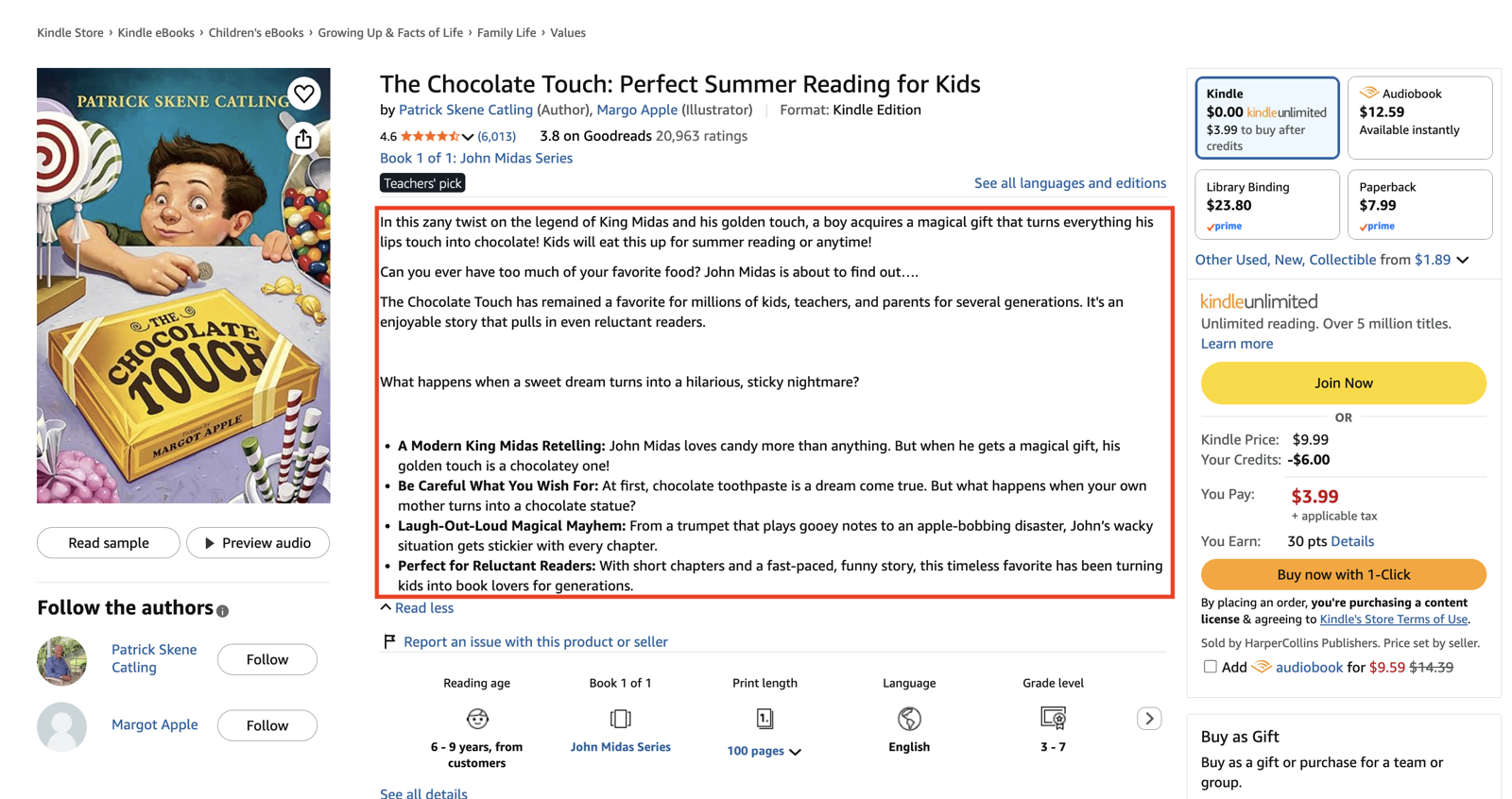
Paste in your book description. The tool runs a semantic search against our dataset of 5,264+ Amazon browse categories and scores each one by how closely it matches your book's content, themes, and audience. The closest matches appear first.
Treat the results as a shortlist, not a verdict. The relevance score tells you which categories are worth a closer look; you still apply your own judgment on which ones truly fit your manuscript.
One honest caveat: the tool is only as good as the description you give it. If your product description is vague or doesn't accurately reflect the book, you'll be optimizing toward the wrong target. Tighten the description first, then run the finder.
How to Use Your Results
Start by shortlisting the 5 to 10 categories that look most relevant. Open each one on Amazon and skim the books ranking there. If your book would look at home on that list, keep it. If not, cut it.
Then update your book on KDP:
- 1
Log into KDP and open your Bookshelf, then click “Edit Paperback Details” (or eBook or Hardcover, depending on your format).
- 2
Scroll to the “Categories” section and click “Choose categories”.
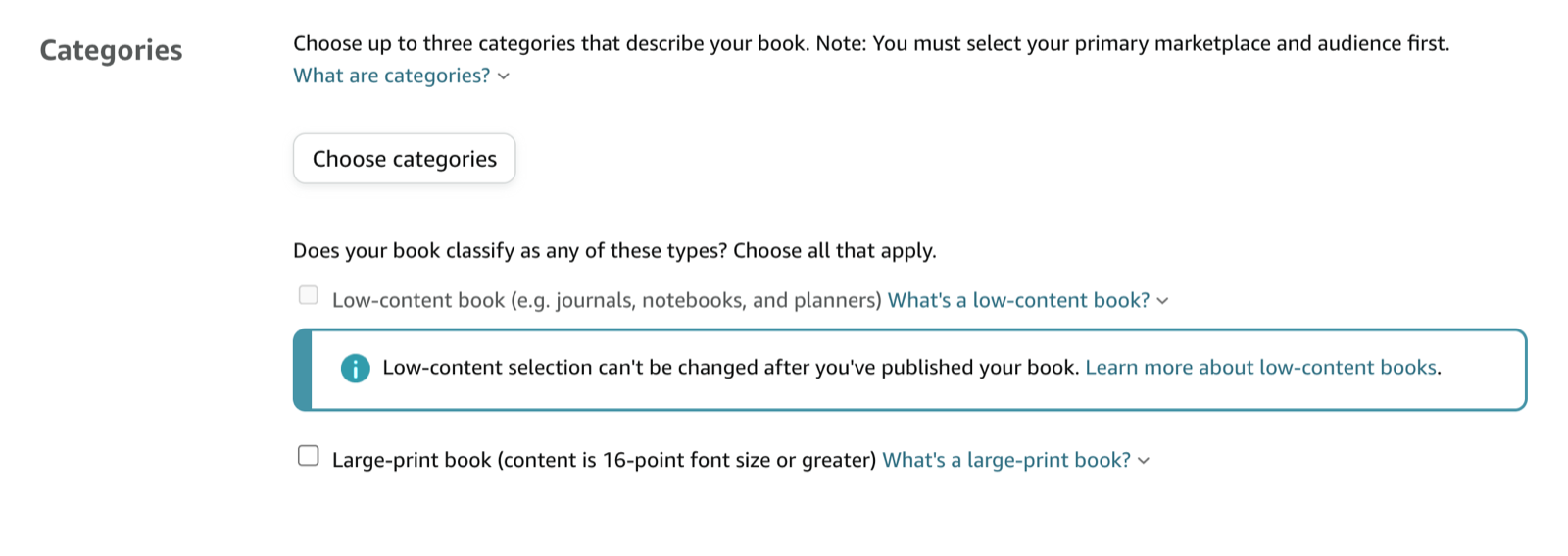
The Categories section in your KDP book details. - 3
Work through the category dropdowns and select the placements that best fit your book, then click “Save categories”.
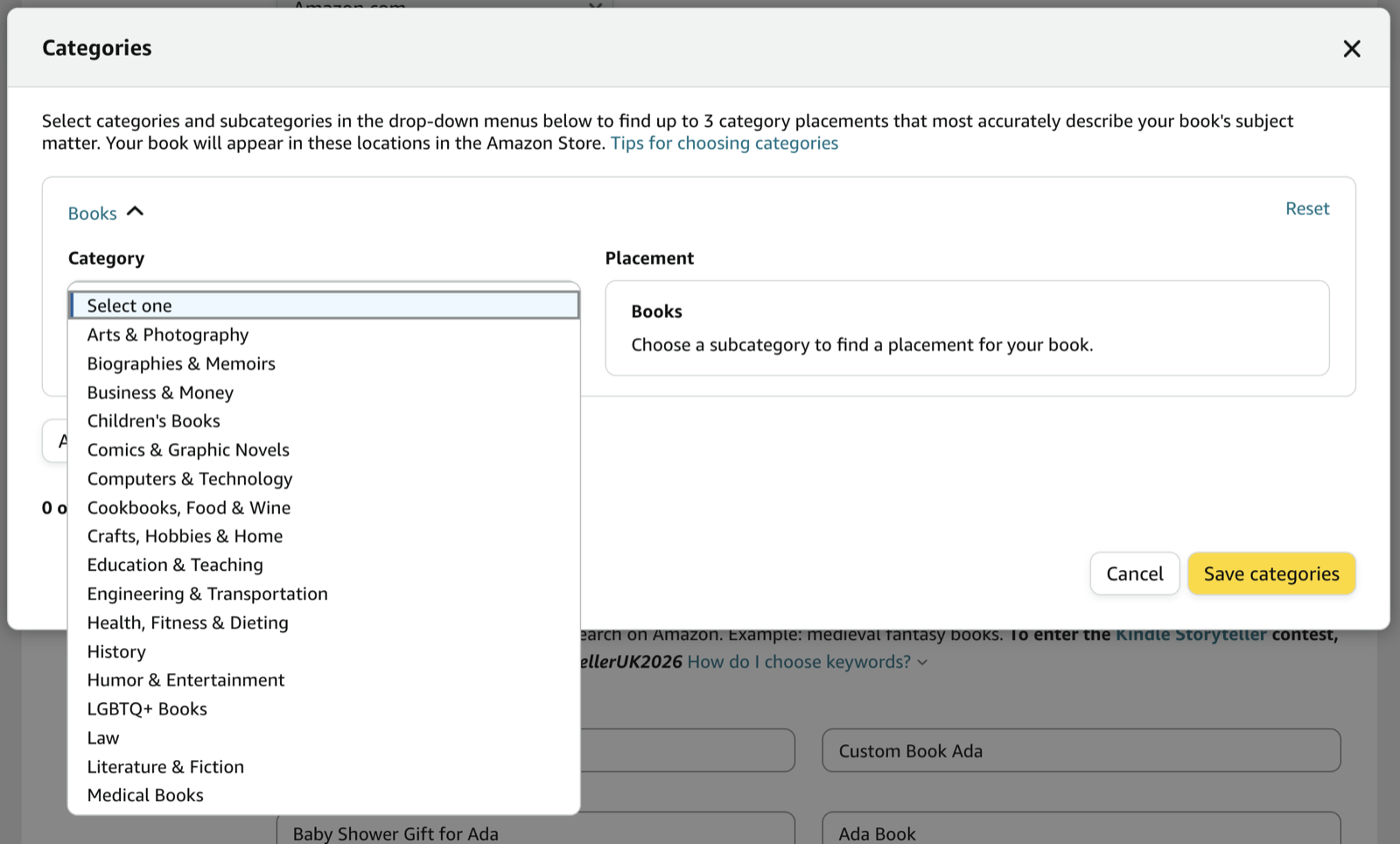
Drill through the dropdowns to set up to 3 placements that match the finder's suggestions. - 4
Save and republish. Changes typically take effect within 48 to 72 hours.
KDP lets you select up to 3 categories per format.
How to Choose the Right Categories
When you're deciding between candidates, run each one through three questions, in this order:
- 1Is it relevant?
Would a reader browsing this shelf be glad they found your book? If the answer is no, stop here. A badge in the wrong category puts your book in front of readers who won't buy it.
- 2Is it winnable?
Open the category and check the #1 book's overall Best Sellers Rank. If the current leader is selling hundreds of copies a day (BSR less than 10,000), that badge is out of reach for now. Look for categories where the top books have ranks you can realistically beat with a focused launch or promo.
- 3Does it fit the shelf?
Look at the covers, titles, and tone of the books ranking there. If your book would look out of place, readers will sense the mismatch even if the topic technically fits.
Relevance comes first, always. Winnable but irrelevant is a vanity badge. Relevant but unwinnable is a long wait. You're looking for the overlap.
What Makes a Category a Good Match
It's tempting to treat category selection as a pure competition play: find the emptiest shelf and claim it. That works for the badge and fails for the business.
A good category match has three properties at once:
Content match. The category accurately describes what's in the book. Readers who click through from this shelf get what they expected.
Audience match. The people browsing this category are your actual readers. They buy books like yours, finish them, and review them.
Ranking opportunity. The top of the list is reachable for a book at your current sales level, or will be during a launch push.
When all three line up, the category compounds. Sales from browse traffic improve your rank, better rank means more browse visibility, and the right also-bought associations teach Amazon exactly who to show your book to next. When you chase low competition alone, you get a badge that markets your book to nobody.
Can You Change Categories After Publishing?
Yes, at any time. Go to your KDP Bookshelf, edit the book's details, and update the categories. Changes typically take effect within 48 to 72 hours.
It's worth revisiting your categories when something changes: a new launch, a plateau in sales, or a category that's become noticeably more competitive since you published. Categories aren't a set-once decision.
KDP Categories vs. BISAC
BISAC codes are the industry-standard classification system used by publishers, bookstores, and distributors. They're broad, standardized, and shared across the whole book trade.
Amazon browse categories are Amazon's own system, and they're far more granular: over 5,000 categories against a few thousand BISAC codes covering everything. If you also distribute through IngramSpark or other channels, you'll still need BISAC codes there.
This tool focuses on Amazon browse categories, because those are what drive bestseller lists, badges, and browse discoverability on Amazon.
Common Mistakes When Choosing KDP Categories
If your book is stuck, the category setup is one of the first places to look. These are the mistakes we see most often:
Defaulting to the broadest category. "Fiction > Romance" feels safe, but the top of that list is occupied by the biggest names in the genre. Broad categories bury new books.
Chasing empty categories that don't fit. A #1 badge in an irrelevant niche impresses nobody who matters, confuses Amazon's recommendation engine, and risks being corrected when Amazon recategorizes the listing.
Spending all three slots on near-identical paths. Three variations of the same shelf give you one audience three times. Use the slots to reach distinct reader groups your book genuinely serves.
Setting and forgetting. Categories shift in competitiveness. The shelf that was winnable at launch may be crowded a year later, and vice versa.
Optimizing on a weak description. If your product description doesn't reflect the book, every downstream decision (categories included) inherits the error. Fix the description first.
Find the Categories That Fit Your Book
The right categories put your book on shelves where your readers are already browsing and where the top of the list is actually reachable. That's not guesswork; it's a matching problem, and it's solvable.
Paste your book description into the Category Finder above and start with the highest-relevance categories it returns. Shortlist them, sanity-check each one on Amazon, and update your KDP listing. Your next reader is browsing one of those shelves right now.
Frequently Asked Questions
How many categories can I choose on KDP?
KDP lets you select up to 3 categories per format when you publish or edit a book.
How does the relevance score work?
Our AI analyzes your book description and matches it against 5,264+ Amazon browse categories. Results are ranked by how closely each category matches your book's content, themes, and audience, with the most relevant categories first.
Do categories affect Amazon search ranking?
Categories affect browse ranking (the category bestseller lists), not keyword search results directly. But ranking well in a category increases your book's visibility and sales, and sales feed every ranking system Amazon runs.
How long do category changes take to appear?
Changes made through your KDP Bookshelf typically take effect within 48 to 72 hours.
Take your book marketing further.
Scrivy helps self-published authors get real reviews from verified readers. Sign up free to get started.
Get started free